
 Planner Edition
A text number for each of your couples, and one login for your whole season.
Planner Edition gives each wedding you plan its own text number, with an AI Assistant answering guests from that wedding's details. You see all of them from one login, and each coordinator sees the weddings you choose. Your own phone number stays off the guest list.
Schedule a DemoRight now, your number is on every guest list.
Couples hand your cell to their families, their wedding party and their vendors, because you're the one who knows. So in June you're answering parking questions for three weddings at once, from people who aren't your clients, often at night.
Each couple keeps their own spreadsheet and their own group chat, and the details you need on the day are spread across all of them.
How it works
How a season runs on Planner Edition.
- 1
A couple signs with you.
Add the wedding yourself with New Client Setup in your dashboard, then add the couple's details and guest list. Every wedding starts with ready-made messages, from the save-the-date to the RSVP and meal reminders. Its number is ready right away.
- 2
The save-the-dates go out.
Guests text the couple's number, not yours. The AI Assistant answers from that wedding's details. Anything it can't answer, it texts you instead of guessing.
- 3
The weeks before.
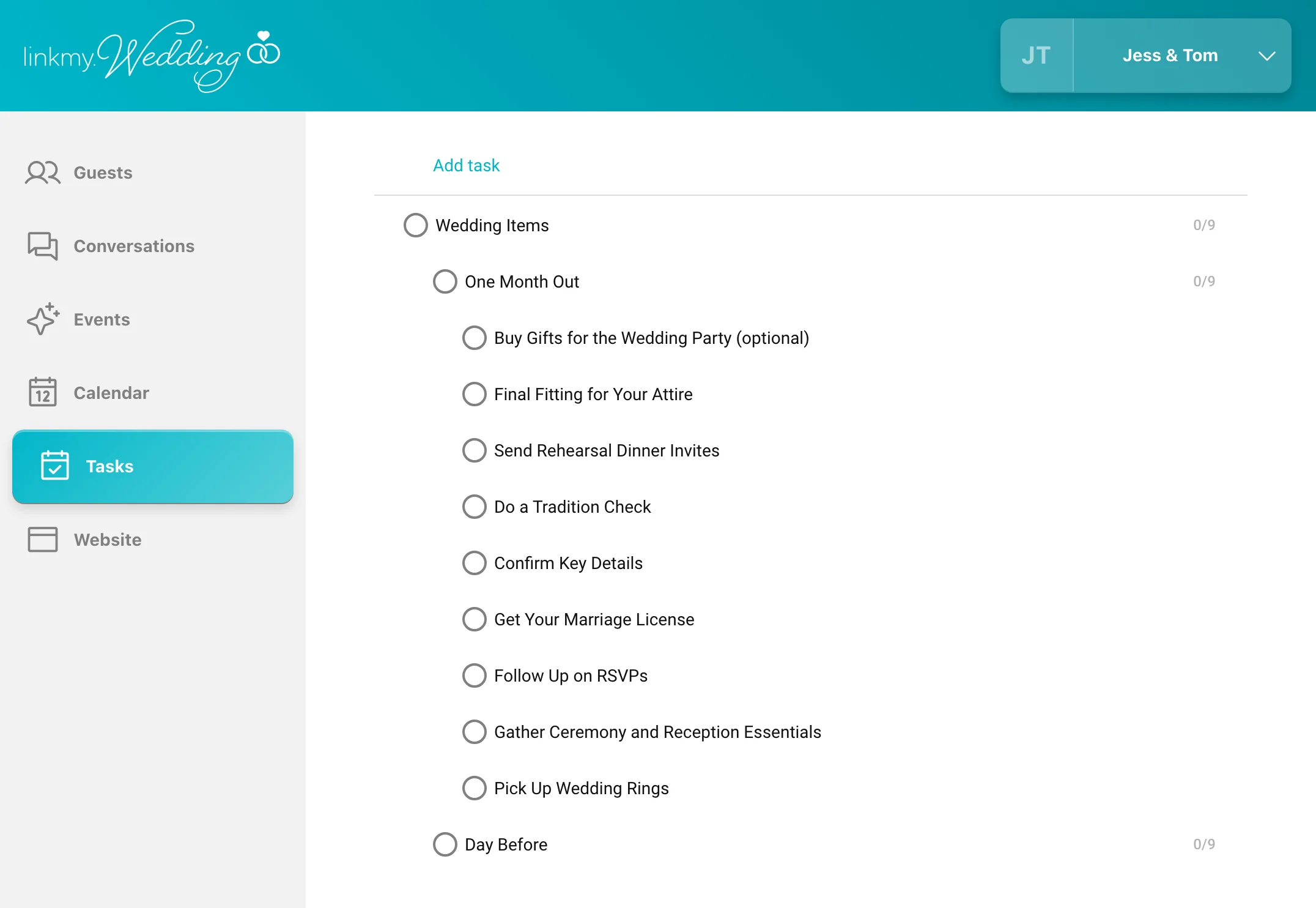
RSVPs and meal choices collect on each couple's list, the reminders you scheduled go out on their own, and each wedding's to-dos sit next to its conversations.
- 4
The wedding day.
Your day-of coordinator sends the shuttle update or the move indoors to that wedding's guests, and nobody else's, using the snippets your team shares.
- 5
Afterward.
The couple exports their guest list to keep. You close the number, keep it open for the thank-yous, or keep it for your next wedding.
Your team
Your whole team works from one dashboard.
Add your assistants and day-of coordinators, and choose which weddings each one sees. Whoever's running a wedding answers its guests from that couple's number. The calendar holds the whole season, and shared snippets keep the answers consistent.
Your brand
Your name on the pages your couples see.
With our white-label option, your logo, colors, and company name replace ours on both the dashboard and the wedding websites your clients' guests visit.
Pricing depends on several factors.
Planner Edition is part of our partner program, and what it costs depends on how you partner with us. Call us Monday to Friday, 9:00 am to 9:00 pm Eastern, to find out more.
What your couples get
Your couples get everything in LinkMy.Wedding.
Their own number, an AI Assistant answering their guests, RSVPs and meal choices in one list, and a free wedding website.
See LinkMy.WeddingQuestions
What planners tend to ask first. Pricing comes through our partner program.
Can I add a new wedding myself? +
Yes. Use New Client Setup in your dashboard whenever a couple signs. Its number is ready right away.
How many weddings can I run at once? +
As many as you like. There's no limit.
Do my couples need their own account? +
They can have one. A couple can log in and do everything a LinkMy.Wedding couple can.
Can I set up a wedding once and reuse it? +
Every new wedding starts with the same ready-made messages, from the save-the-date to the RSVP and meal reminders, and you edit them for each couple. Copying one wedding's whole setup to the next isn't available.
What happens after the wedding? +
The couple can export their guest list to keep. Messages can't be exported. You decide when to close the number, or keep it for your next wedding.
What does Planner Edition cost? +
It depends on how you partner with us, as a reseller or a white-label partner. Call us to find out more.
Can I try it with one wedding first? +
Yes. Start with one, and add the rest when you're ready.
Tell us how many weddings you plan in a year.
In a 15-minute demo, we'll show you everything in Planner Edition, set up for a season like yours.