

 LinkMy.Wedding
Give your guests a number to text that isn't yours.
Put it on the save-the-dates. When guests wonder about parking, the dress code or their plus-one, they text it, and the AI Assistant answers from the details you've already provided. RSVPs and meal choices land on one list.
Your guests should be in the know, without bothering you.
Here's the thing nobody says out loud: your guests feel bad texting you. You're planning a wedding. So they guess the dress code, hunt through the invitation for the parking, or ask your other half, who asks you anyway.
The questions still reach you, just later, secondhand, and usually at eleven at night. And the RSVPs come in by mail or in passing at a barbecue, and never end up on one list.
From save-the-dates to thank-you notes

What your number does, month by month.
1 of 5
Six to nine months out
The save-the-dates.
Your wedding's number goes on the save-the-dates, so yours stays private. You add your details and your guest list with our help, so the AI Assistant can answer from the very first text: the venue, the date, where to stay.
2 of 5
Two to three months out
Invitations and RSVPs.
Guests reply by text or on your website. Each yes comes with a meal choice and any dietary notes, right on their row.
3 of 5
The week before
Final details.
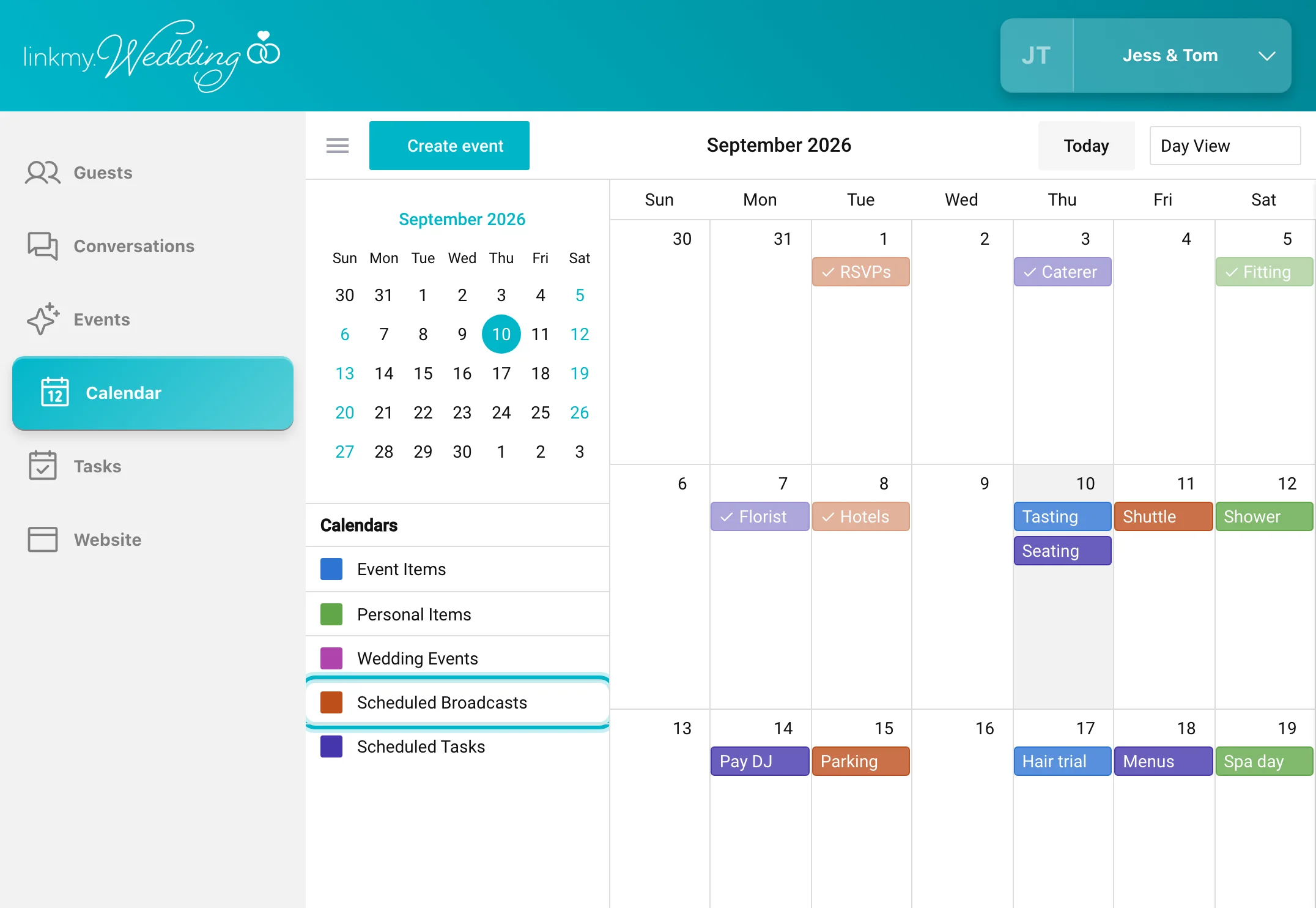
The reminders you scheduled weeks ago go out on their own: start time, parking, the shuttle. You export the final count and the meal list for the caterer.
4 of 5
The day of
Plans change.
Plans can change because of weather. One message reaches everyone, or just the wedding party. Let the AI Assistant handle “which entrance do we park at?” while you get ready.
5 of 5
Afterward
Thank-you notes.
The number keeps working while the thank-you notes go out. Export the guest list, then close the number.
Six to nine months out, by text
AI Assistant · Jess and Tom’s wedding
Is there a hotel block?Yes, at the Dunmore Inn, ten minutes from the venue. Mention Jess and Tom's wedding when you book.
Your very own wedding assistant
It knows the details your guests keep asking about.
You add it once, at setup. From then on, our AI Assistant has it down:
- The date, and when everything starts
- The ceremony and reception venues, with directions
- Who’s at which table
- The menu, and what each guest ordered
- What “garden formal” means
- The shuttle times and the hotel block
- Everything in your FAQs
- Your registry links
When a question isn't covered, like whether the kids are invited, it doesn't guess or reply. It texts you, and you answer. Here's a whole RSVP: your scheduled message asks, the AI Assistant handles the replies, and everything Priya said is now on her row in your guest list.
AI Assistant · LinkMy.Wedding
Answers from your details
The wedding website
A free wedding website that matches the texts.
Your number comes with a website, built from the same details the AI Assistant answers from. Change the start time once, and both are updated.
- Pick a theme and a layout, then add your photos and a welcome note.
- Guests enter their phone number, get a code by text, and RSVP to the events they’re invited to, meal choice and all. It lands on the same list as the RSVPs that came by text.
- Your FAQs, links, locations, hotels and registry, in one place.
- It looks right on a phone, which is where your guests will open it.
- Started a site somewhere else already? Import your guest list from it.
The people helping you
Share the number with the people helping you.
Add your planner, a parent or your maid of honor to the dashboard. Everyone shares the one number, so whoever's free can answer, and every reply comes from the wedding's number.
For wedding planners
Planning weddings for clients? Planner Edition gives you a number for each couple and one login for the whole season, and your own number stays private.
See Planner Edition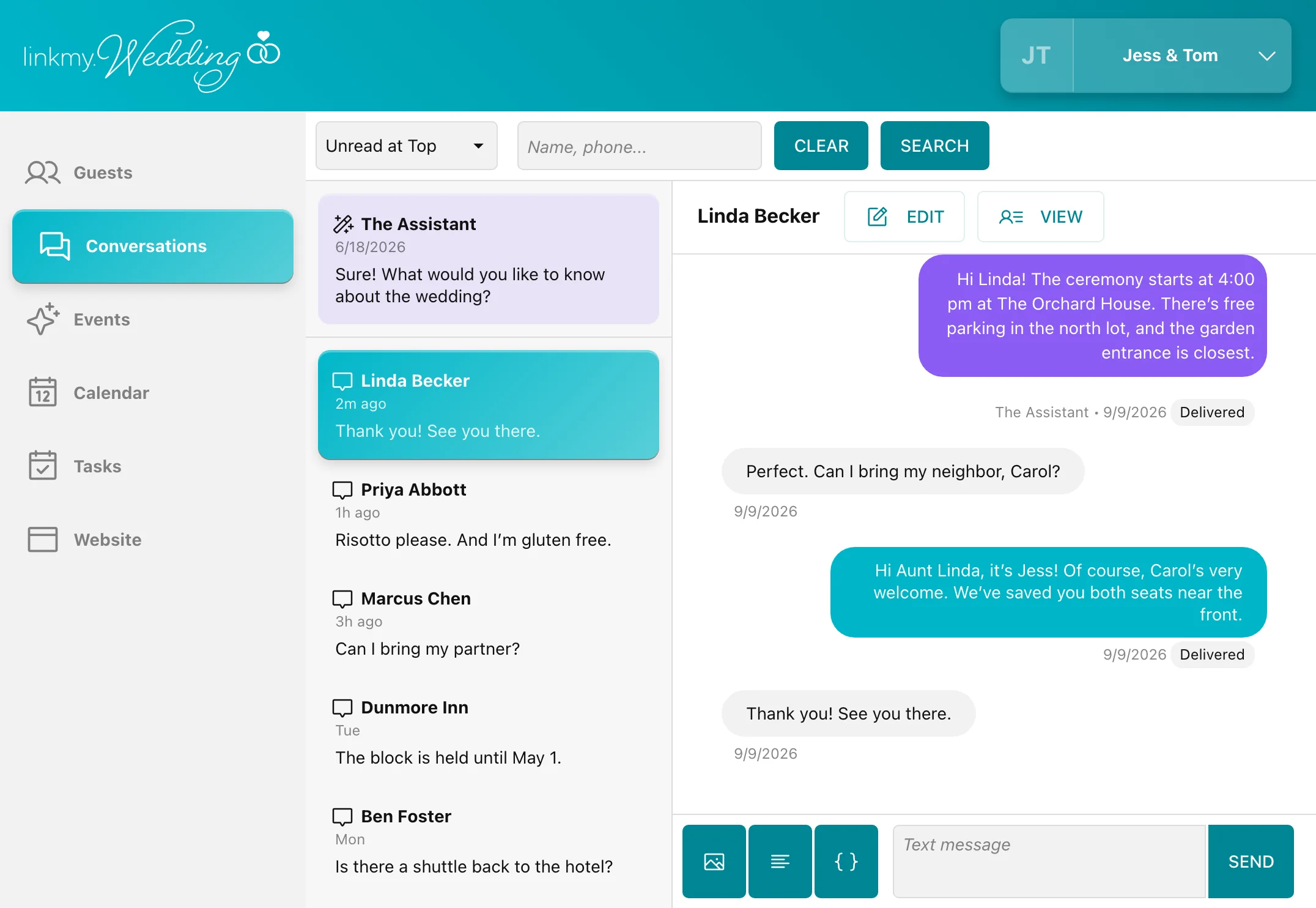
Couples
“The guest search functionality was wonderful. Being able to custom tag each guest and search by guests with those custom tags saved a lot of time.”
Questions
The things couples usually want to know before the save-the-dates go out. Anything we've missed, ask us in the demo.
Will guests feel like they're talking to a robot? +
It answers in plain, friendly texts, and only from what you've told it. Anything personal, it passes to you.
What if the AI Assistant doesn't know the answer? +
It doesn't guess, and it doesn't reply. It sends you a text, you answer from the dashboard, and the guest gets your answer from the wedding's number.
Can our older relatives use it? +
If they can send a text, they can use it. There's nothing to install, it doesn't need Wi-Fi or data, and they don't have to open the website to get answers.
What happens to our own phone numbers? +
They stay off the invitations. Guests only ever see the wedding's number, even when you reply yourself, because you reply from the dashboard.
Can my planner or my mom help answer? +
Yes. Everyone you add shares the same dashboard and the same number, so whoever is free can pick up a conversation.
When should we set it up? +
Before the save-the-dates go out. You're live about a day after your demo.
What does it cost? +
$99 a month for up to 120 guests, or $199 for up to 250, billed monthly while your number is open. There's no minimum term.
Tell us your date and roughly how many guests.
We'll show you everything in a 15-minute demo, set up for a wedding like yours, and tell you what it would cost. You're live about a day later.